Progressive overload means doing slightly more over time: another rep, another set, a heavier bell, or the same work with better control. A spreadsheet can track that and so can an app. The difference is how much of the job you do yourself, and how much of it keeps getting done in week twelve, when you are tired and the novelty has worn off.
This is a head-to-head between a hand-built spreadsheet and a structured app, Kettlebell Monster, judged on the same jobs. Where the article describes what the app does, it sticks to what is known about it: it is a structured kettlebell program with a phone version and a Samsung TV version. Anything beyond that is listed as something to check on your own screen, not as a claim.
What progressive overload tracking has to do, whatever tool you use
Any tracking method has to do three jobs.
- Record what you did. Exercise, bell weight, sets, reps, and ideally a note on how hard it felt. Without an honest record there is nothing to progress from.
- Decide what to do next session. This is where most people stall. A record tells you that you swung a 20 kg bell for 3 sets of 10. It does not tell you whether to repeat that, add reps, or move up.
- Show the trend. A single session means little. Four to eight weeks of data shows whether you are moving forward, flat, or sliding, and whether a plateau is real or just one bad week.
Kettlebells make the second job harder than it is with a barbell. Bells usually come in jumps of 4 kg, which is a big step on a lift like the press. Smaller progressions have to come from reps, sets, tempo, or rest, so your tool needs to handle progress that is not always a heavier number.
Every comparison below comes back to these three jobs.
Building a spreadsheet that works: the columns, formulas and weekly upkeep it really takes
A spreadsheet handles job one well. Jobs two and three depend on how much setup you put in.
The columns
One row per exercise per session keeps the data easy to summarise later:
- Date
- Week number
- Session name (for example, Day A)
- Exercise
- Bell weight in kg
- Sets
- Reps for each set, in one column each (Set 1, Set 2, Set 3), or a single total
- Total reps
- Volume (bell weight times total reps)
- Effort rating from 1 to 10
- Notes
The formulas
Only a few are needed, and each one covers a specific job.
- Total reps: a plain
SUMacross the set columns. - Volume: bell weight multiplied by total reps. For swings and presses it is a rough measure, but it is consistent from week to week, and consistency is what you need.
- Last session for this exercise: an
XLOOKUPthat searches from the bottom of the list, which both Excel and Google Sheets support. This pulls up what you did last time so you can see the target when you log today. - Best bell used per exercise:
MAXIFSon the weight column, filtered by exercise name. - Go-up flag: a rule like “if the lowest set reached the top of the rep range, add weight; otherwise repeat.” Written as an
IFon the minimum of your set columns, it turns job two into a cell that says “Go up” or “Repeat.”
A common rule for this is double progression. Pick a rep range, say 8 to 12. Stay with the same bell until every set reaches 12, then move up and drop back toward 8. The spreadsheet only has to compare your lowest set with the top of the range.
The charts
For the trend, make one line chart per main exercise, plotting volume or top-set reps against date. Charts built on a whole column will include blank rows, so either set a fixed range or turn the data into a table that extends automatically.
The weekly upkeep
The upkeep is where the real cost sits:
- Entering each session, ideally on the day.
- Copying formulas down into new rows, or checking they extended.
- Fixing exercise names that were typed differently.
- Checking that charts still include the newest rows.
- Keeping a backup copy before you change the layout.
None of this is hard. It is a small chore attached to every workout, and it runs on your own discipline.
Where spreadsheets break down: missed sessions, deloads, swapped exercises and lost history
A new spreadsheet works for the first month. The problems appear when training stops going to plan.
Missed sessions. Week numbers typed by hand drift when you skip a day or take a trip. Charts that assume one session per week then compare unlike periods. The “last session” lookup still works, but the “week 6 versus week 2” comparison you set up stops meaning what you intended.
Deloads. A planned lighter week lowers volume on purpose, and your chart shows it as a drop. Without a deload flag column, you will read a planned drop as a setback. Adding the column is easy, but you have to think of it first, then make your charts and formulas respect it.
Swapped exercises. If you replace a lift because of a sore wrist, or because you only have one bell that day, the history for that exercise splits. “Goblet squat” and “KB goblet squat” become two series. A dropdown list of allowed names prevents this, but it needs setting up and maintaining.
Lost history. Spreadsheets get overwritten, duplicated as “Final v2,” or left on a laptop you no longer use. Entering numbers on a phone screen in a garage is fiddly enough that people log from memory afterward, and logging from memory is less accurate. Cloud versions with version history soften this, but only if you chose one at the start.
None of these problems is fatal. Each one is a repair job that falls on you, and each repair is a small reason to skip logging that day.
What Kettlebell Monster handles for you, based on what the app actually does
Kettlebell Monster is a structured kettlebell program delivered through an app, with a phone version and a Samsung TV version for training in front of a screen. A structured program changes the comparison, because it supplies the session plan.
That moves job two. In a spreadsheet, the decision about what to do next comes from formulas you wrote. In a structured program, it comes from the sequence the program lays out. You are not designing the progression, so there is no flag column to build and no rep range to tune. Whether the program’s progression suits you is a separate question, covered in the section on who should switch.
What this article does not claim is how the app records your sets, whether it stores the bell weight you used, whether it draws a progress chart, or how it handles a missed week or a swapped exercise. Those are details you should see for yourself. Before switching, open the app and check:
- Whether it records the weight and reps you actually did, or only marks a session as complete.
- Whether you can see past sessions for an exercise.
- Whether it shows any trend over weeks.
- What it does when you skip a day or want to swap a movement.
- Whether your history stays available across devices.
If an answer is “no,” you can still use the app for the workouts and keep a lightweight log elsewhere. That is a fair arrangement. It just means the app replaces the planning and not the record.
Same four weeks, two methods: what the logging looks like side by side
Here is an illustrative four weeks of one lift, a goblet squat, logged in a spreadsheet using double progression with a range of 8 to 12 reps and 3 sets. These numbers are an example of the method, not anyone’s results.
Week Bell Set 1 Set 2 Set 3 Total reps Volume (kg) Flag 1 16 kg 10 9 8 27 432 Repeat 2 16 kg 11 10 9 30 480 Repeat 3 16 kg 12 12 11 35 560 Repeat 4 16 kg 12 12 12 36 576 Go up
In week 5 you would move to the next bell and start back near the bottom of the range. The spreadsheet shows this well. It also took a new row per session, a formula check, and a decision about what to type into the “next bell” cell.
On the app side, the same four weeks look different in kind. The sessions arrive planned, so the work in each one is doing the workout, then noting what you used if the app has a place to record it. The comparison you can run yourself is a one-week trial. Do two or three sessions in the app, then check how many of the three jobs it covers, using the checklist above. If it records weights and shows past sessions, it replaces most of the table above. If it records only completion, you would pair it with a short note in your phone or a minimal spreadsheet with just date, bell, and reps.
Who should keep the spreadsheet and who should switch
Keep the spreadsheet if:
- You write your own workouts and want the tracking to follow whatever you build.
- You train with kettlebells alongside other equipment, and want everything in one file.
- You enjoy looking at your own data and adjusting formulas.
- You have already logged consistently for months. A habit that works is worth keeping.
Switch to a structured app if:
- You keep skipping the logging, or log from memory afterward.
- You spend more time fixing the sheet than reading it.
- You do not want to design progression, and would rather follow a plan someone else has laid out.
- You train in front of a screen and want the workout on it.
The underlying question is whether you want to write your own plan or follow a program. That choice matters more than the tool, and the guide on following a kettlebell program or writing your own covers how to decide for the long term. If you decide to follow a program, an app that delivers it is a natural fit. If you decide to write your own, a spreadsheet is the more flexible tracker.
There is also a middle option. Use the app for the workouts and keep a stripped-down spreadsheet with four columns: date, exercise, bell, reps. That removes most of the upkeep, because without the planning formulas, the charts, and the deload logic there is little left to maintain.
Getting the app on your screen: phone, or the Samsung TV version
Kettlebell Monster runs on a phone, and there is also a version for Samsung TVs running Tizen. The phone is the simpler start: it is already in your pocket and travels with you. The TV version suits a home gym where you can set the screen at the end of the training area and work through the session without holding a device or glancing down at a small display.
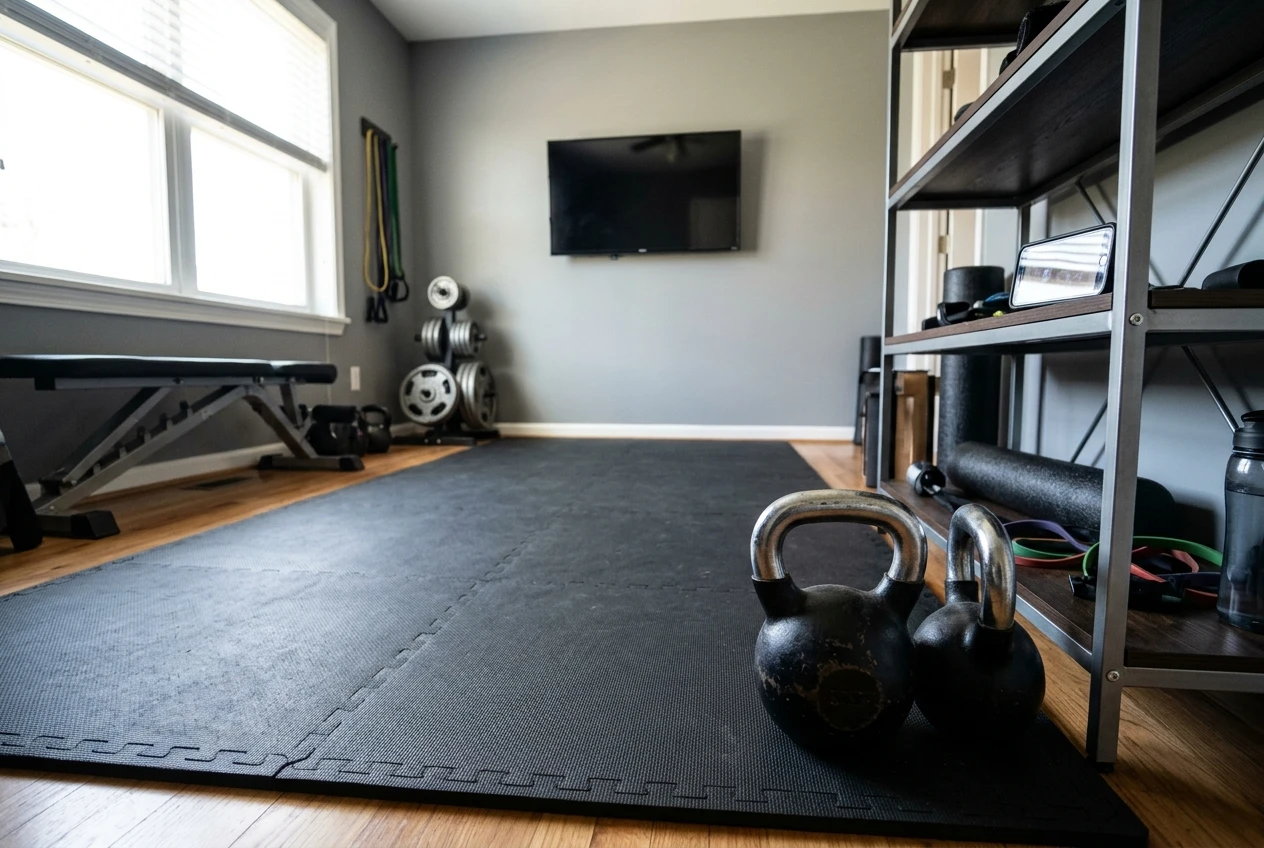
Which one is better depends on your space. If your bells are in a garage or spare room with a TV nearby, the larger screen is a real convenience. If you train wherever there is floor space, the phone goes with you. For a closer look at the TV option, including whether it is worth switching from your phone, see the review of the Kettlebell Monster Samsung TV app.
Try it instead of maintaining the sheet
A spreadsheet is a good tracker for someone who writes their own plan and keeps up the entries. If you are tired of maintaining one, try Kettlebell Monster through this link and run the one-week check above against the three jobs.
Disclosure: this is an affiliate link, so I may earn a commission if you buy through it.