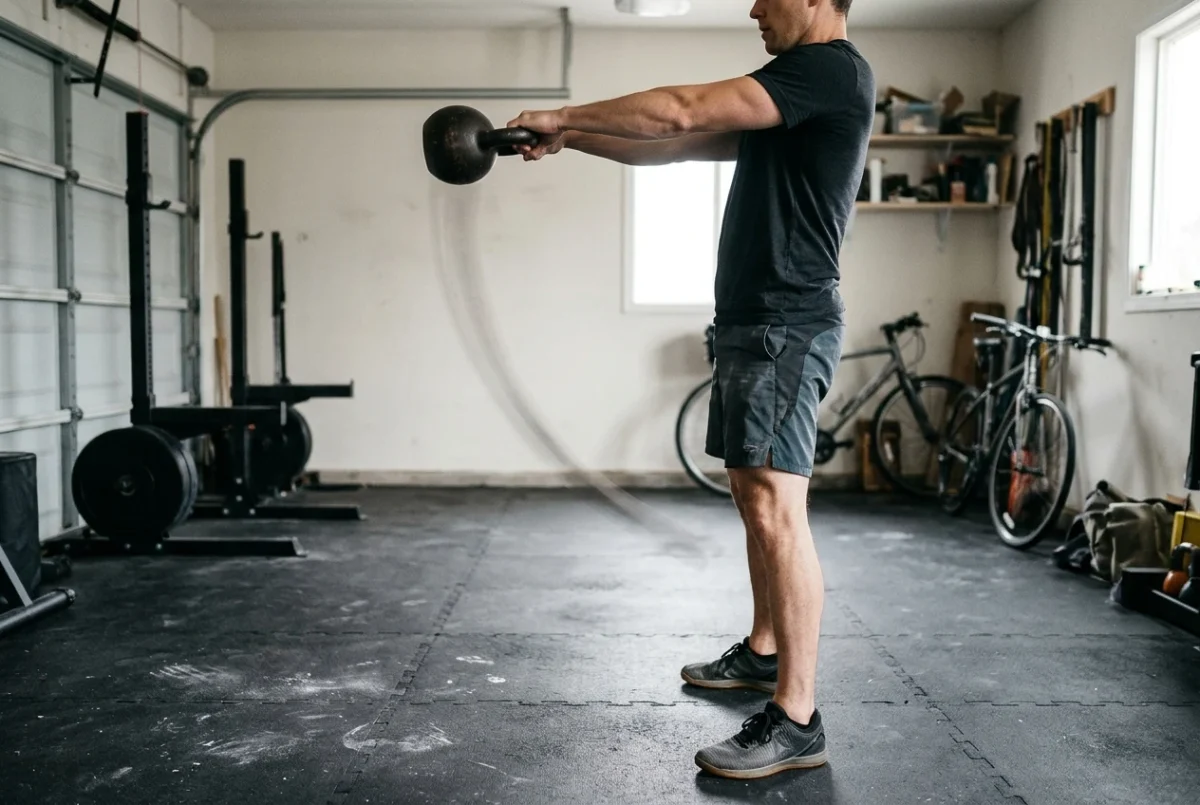
A paragraph can tell you that a kettlebell swing is a hip hinge, that the arms stay loose, and that the bell should float to about chest height. All of that is correct, and none of it tells you how long each part takes. The swing is a timed movement, and timing is the part that written instructions describe the worst.
If you have learned kettlebell technique from articles or a phone propped against a water bottle, you have probably wondered whether a bigger screen would help. It can, for specific reasons. This piece goes through what text does well, what video adds, how to set up a room so the demo is useful mid-set, and what a TV cannot do for you. If you are searching for kettlebell workouts on Samsung TV, this is the reasoning behind the setup, not a verdict on switching. For the verdict, see the review of the Kettlebell Monster Samsung TV app.
Why a paragraph can’t show you the timing of a kettlebell swing
Reading a swing description is sequential: first the hinge, then the drive, then the float, then the drop. In the movement, those things overlap. The hips are still extending while the bell is already leaving the legs, and the bell is already falling while you are still standing tall.
Three things in a swing are about timing, and prose handles each badly:
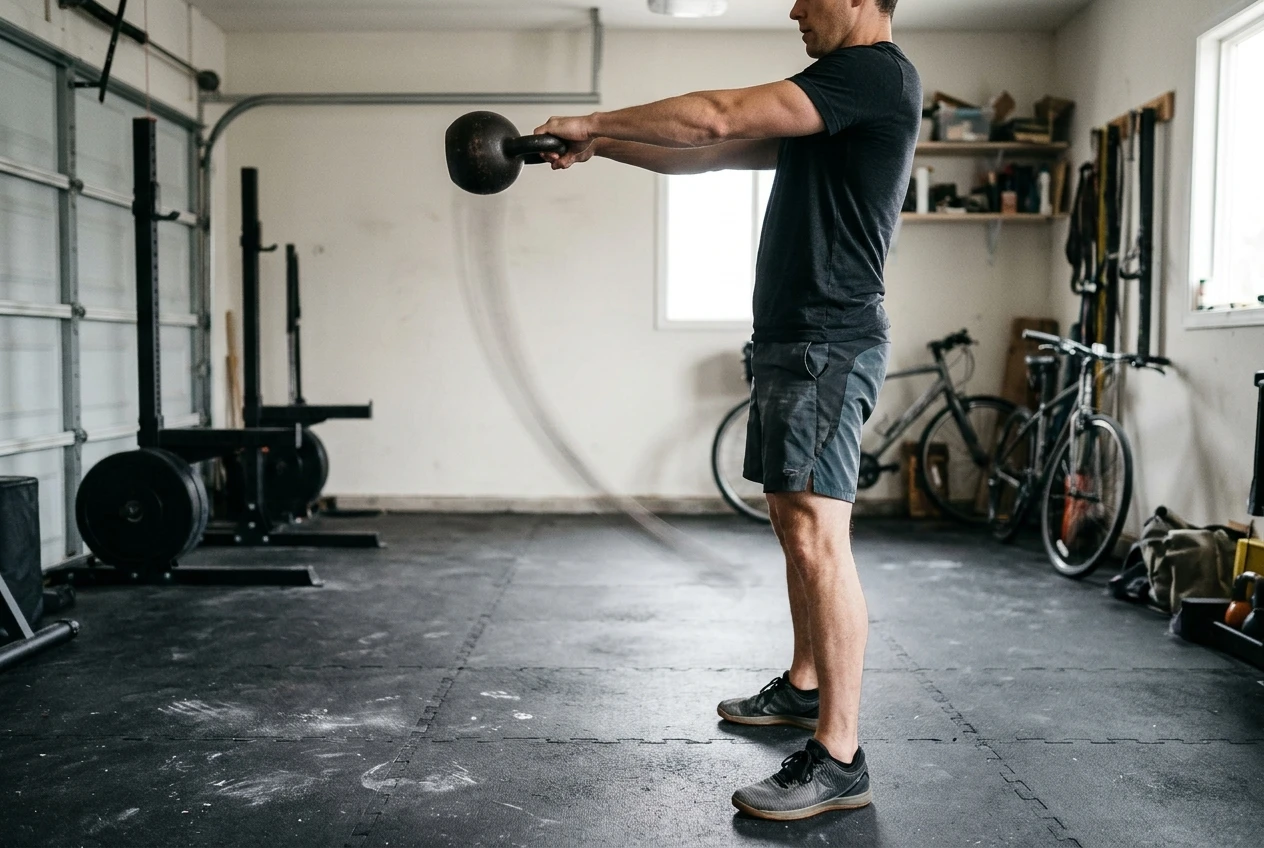
- The speed difference between the two halves. The hinge back is controlled. The hip drive forward is fast and sharp. A sentence that says “hinge, then drive” gives both halves equal weight, and many people end up swinging at one even, slow pace as a result.
- The moment of near-weightlessness at the top. The bell reaches the top of its arc and briefly stops climbing. You can write that, but you cannot make a reader feel how short it is, or how little the arms should be doing during it.
- The reset. The bell falls back, and you have to meet it with the hinge at the right moment, not early and not late. Where the hinge begins relative to the bell’s descent is a matter of rhythm, and rhythm is hard to learn from words.
Rhythm also carries over from rep to rep. A set of swings has a pace, a repeating beat, and the beat is what keeps the movement consistent when you get tired. You can’t read a beat.
What you pick up by watching a movement that the text leaves out
Watching a good demonstration gives you several things a written guide leaves out or can only gesture at.
The order things happen. On video, you can see the knees soften slightly as the hips go back, the torso tilt forward while the back stays flat, and the glutes and legs fire before the bell moves much. You see the full-body sequence as one connected movement. Text has to break it into numbered steps, and the steps imply a pause between them that does not exist.

Where the bell travels. A written cue like “swing the bell between your legs” does not show how high the bell goes back, how close it passes to the body, or the line it follows on the way up. In a demo, you see the path, and you can copy it.
What a relaxed arm looks like. “Keep your arms loose” is one of the most common cues, and one of the most misread. Watching a demo shows loose arms as passive hooks that the bell pulls on, not arms held tense and then cranked upward.
What the top position looks like. A common fault is leaning back at the top. On screen, you can see that the finish is a tall, straight standing position with the glutes tight, a plank-like body, and not an arched back.
How long does a set take? A video gives you a pace to match, which a rep count in a table does not.
None of this means the written version is wrong. It means the video fills in the part of the instruction that is about movement through time.
Where text still wins: reference, cues, and planning
Text is better than video for several jobs, and it would be a mistake to drop it.
Reference. If you want to check the difference between a swing and a clean, or remind yourself of the order of exercises in a program, scanning a page is faster than finding a point in a video. You can also read it before the workout, when you are not breathing hard.
Single cues you can hold in your head. A short phrase like “hips back, not knees forward” or “stand tall at the top” is easier to remember from a page than from a demonstration that shows twenty things at once. When you read the cue, you decide what to watch for. Video offers everything, so you might not notice the one thing you need.
Planning. Weeks, rep ranges, rest days, and how to progress are all easier to see in a table or a list. A screen shows you one session at a time. If you track your own loads and progression, a page or a spreadsheet is a better medium. The same goes for deciding between following a program and writing your own workouts, which is a planning question and not a movement question.
The practical split is simple. Use text to understand what a movement is for and what to look for, and use video to see how it moves. Then use text again to plan and record.
Setting up your floor and TV so you can see the demo mid-set
A big screen helps only if you can see it from where you are actually lifting. Most people place the TV where it is for watching sitting down, which is not where they stand to swing.
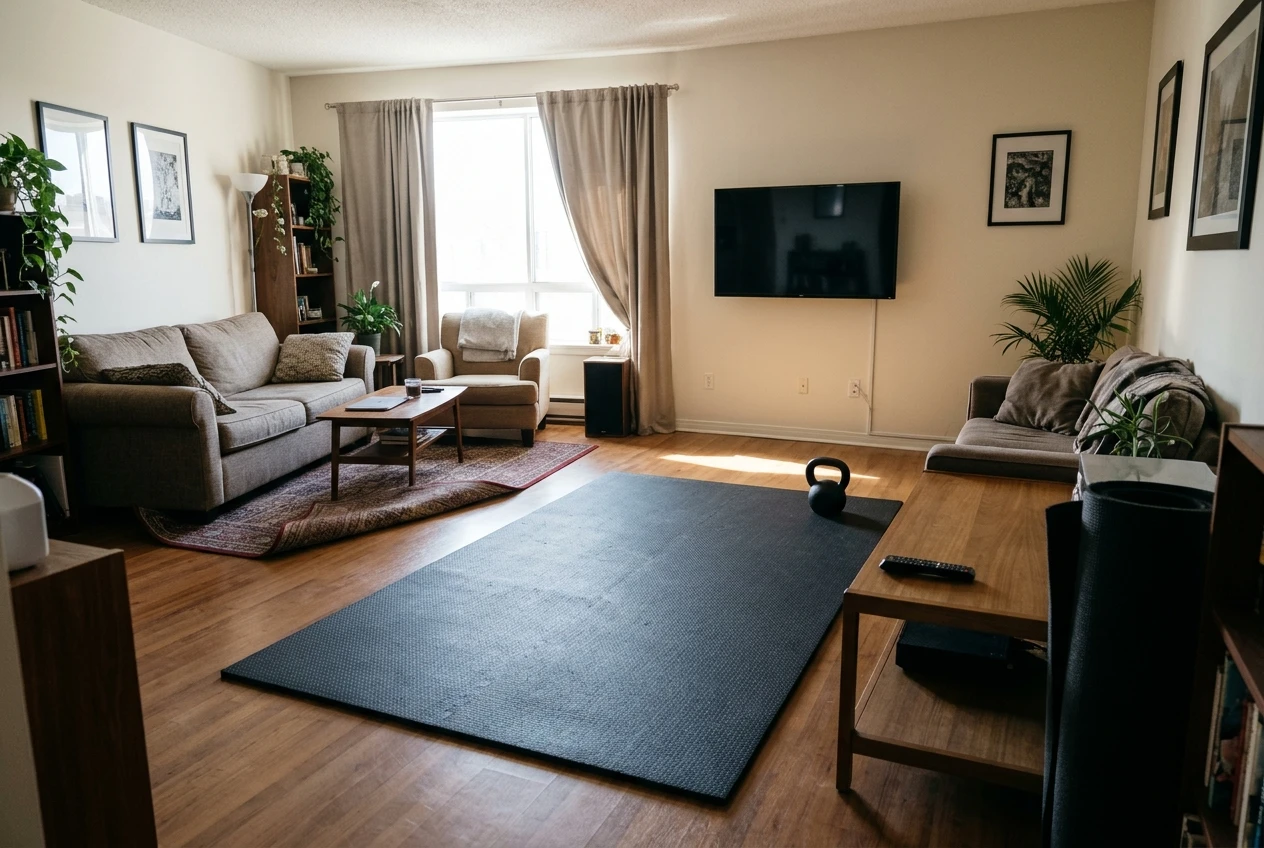
Position yourself first, then judge the screen. Stand where you will do the swings, with the bell in front of you, and check that you can see the whole screen without turning your body. For a swing, your head should stay roughly in line with your spine, and your eyes forward, so a screen at about standing eye level, in front of you, fits the movement better than one you have to look down or sideways at.
Leave more clearance than you think you need. A kettlebell swung forward travels a long way, and a bell that slips from your grip goes further. Keep the space between you and the TV well beyond the reach of the bell, with extra room for a mistake. If you cannot do that, do the swings facing along the room or at an angle, and keep the screen visible from there. The TV is not worth the risk of a hit.
Clear the floor. Check the surface in the area where the bell could land and where your feet move. Keep furniture, cables, and anything that rolls out of the arc. A mat that does not slide helps, because you need to trust your footing when you are looking at a screen and not at your feet.
Think about the glare. Lights and windows behind or beside you can wash out the screen. Check it in the lighting you will train in, not when the room is dark.
Keep the remote reachable. Pausing or skipping should not require a walk across the room. A surface within reach, away from the swing zone, is enough.
If your space is tight, the guidance in the small-space home gym starting guide on laying out a training area applies here, too.
Getting the most from the Kettlebell Monster Samsung TV app in a session
The Kettlebell Monster Samsung TV app puts the programs from the main site on a Tizen TV, so the demonstration is on the screen you are already facing. How you use that matters more than the fact that it is bigger. Here is a way to run a session so the video does the job that text cannot.
Preview before you load the bell. Watch the first demonstration of each new movement once with your hands free. Pick one or two things to look for: the speed of the hip drive, the path of the bell, and where the hinge starts. Then pick up the bell.
Watch the timing, not just the position. Count along with the beat of the demonstration for a few reps. You are matching a rhythm, so match the speed of the hinge and the drive, not only the shape.
Use light work first. If a movement is new or you are returning to it, use a lighter bell or fewer reps so you can look at the screen without losing control. Looking at the TV and swinging a heavy bell at the same time is a divided-attention task.
Check the program before the session. What a given workout includes, how long it runs, and what equipment it needs are all listed with the program. Looking at those first means you won’t be finding out mid-set that you need a second bell. If you would like to look through the programs before deciding, the Kettlebell Monster site shows them.
Use the repeat as a learning tool. Doing the same session again lets you notice different parts of the same demonstration. The first time you follow along, you are keeping up. By the second or third, you can watch the details.
What no screen can do: checking your own form and knowing when to adjust
A TV app plays a demonstration. It cannot see you. Whatever is on the screen, you could be rounding your back, squatting the swing, leaning back at the top, or pulling with your arms, and the video will carry on regardless. It cannot tell you that your rep three looks different from rep one, or that you have stopped matching the demo as you tire.
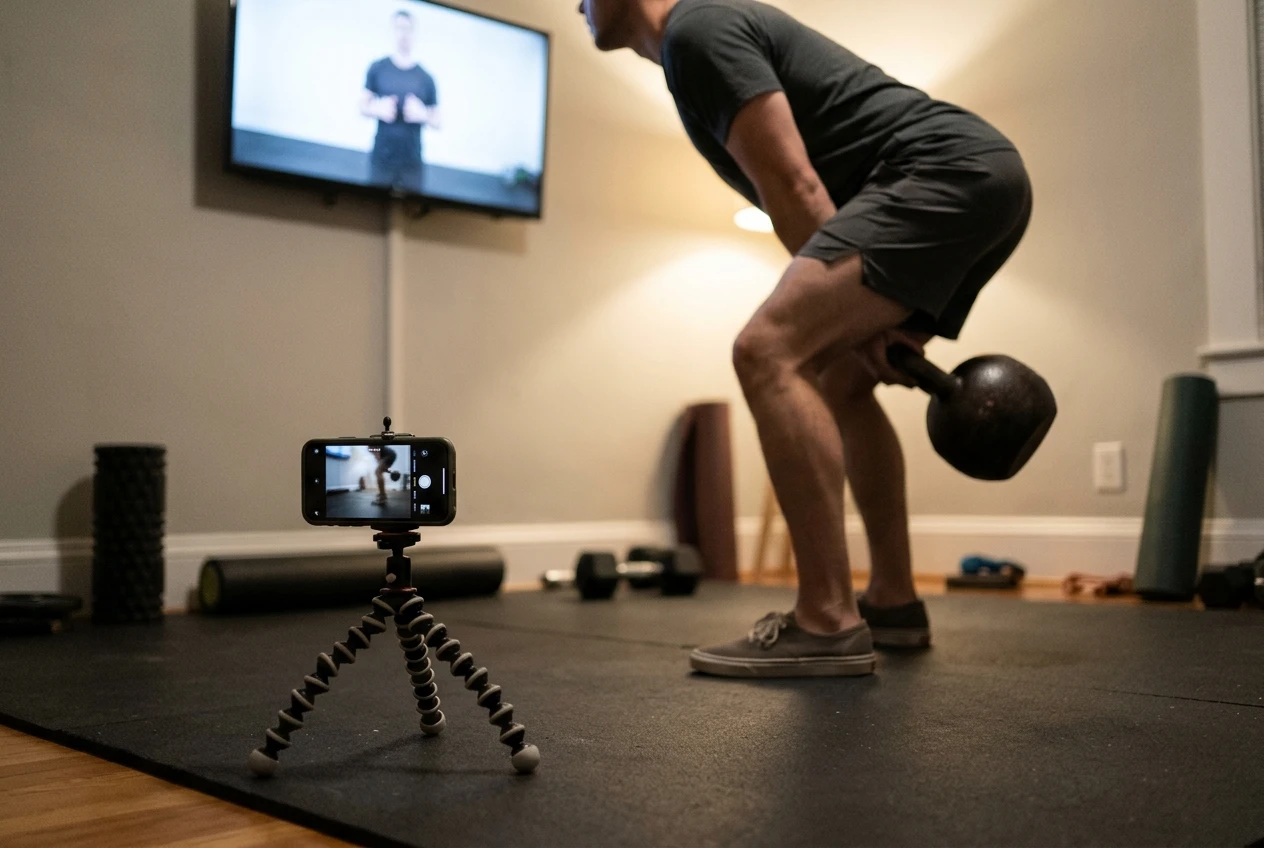
That leaves the checking to you, and there are ways to do it:
- Film a set from the side. Side-on is the angle that shows the hinge, the back position, and the top of the swing. Compare it with the demonstration.
- Use a mirror where you can. A mirror to the side shows the same thing in real time, though it pulls your head around, which changes the movement.
- Know your usual faults. Most people have one or two: pulling with the arms, a squatty hinge, or a lean at the top. Keep your attention on those, not on everything at once.
- Stop the set when the pattern changes. If your hinge turns into a squat, or the speed of the drive fades, the set is finished; whatever the screen says is next.
- Get a person involved if you can. A coach or a knowledgeable training partner can see things that neither a video nor your own recording will show you, especially pain, which no demonstration can interpret. If a movement hurts, stop and have someone qualified look at it.
The best use of a TV is as a clear model to compare yourself against. You still do the comparing.
Try it on your own TV
If you have a Samsung Tizen TV, you can try the Kettlebell Monster TV app and see whether following a demonstration at that size changes how you swing. Affiliate disclosure: This is an affiliate link, and I may earn a commission if you buy through it.
If you would like to see the programs first, start at the main Kettlebell Monster site. The same disclosure applies to that link.